

Introduction: Your Design Journey Starts Here
At Webchirpy Academy, we believe design is for everyone—not just the “naturally creative” or tech-savvy. If you’ve ever clicked through an app and thought, “I could make this better,”—you’re already thinking like a UI/UX designer.
This beginner’s guide is your launchpad into the world of UI/UX design, built especially for curious minds like yours. Whether you’re an aspiring designer, a developer looking to upskill, or just passionate about digital experiences—we’ve got you.
What Is UI/UX Design? (And Why Should You Care?)
Let’s keep it simple:
- UI (User Interface) = The look
- UX (User Experience) = The feel
Together, they shape how a user interacts with and feels about a product. A clean interface means nothing if it’s frustrating to use. And a smooth experience isn’t complete without a visually pleasing layout.
At Webchirpy, we say: “Design should speak. Experience should sing.”
Why UI/UX Design Matters (Especially for Beginners)
Think about your favorite apps or websites. Why do they just feel right? That’s intentional—and it’s UI/UX in action.
Here’s what great UI/UX can do:
- Boost user satisfaction
- Increase engagement and conversions
- Build trust in your product or brand
- Save hours of dev time with fewer revisions
And guess what? You can learn to do this too.
Step-by-Step: How to Start Your UI/UX Journey
1. Understand the Basics
Start with visual hierarchy, layout principles, typography, and color psychology. (We’ve got courses for that 👀)
2. Get Curious About Users
Use empathy as your secret weapon. Create user personas, map out user journeys, and think about their goals—not just yours.
3. Sketch It Out
Begin with low-fidelity wireframes using pen & paper or tools like Figma and Balsamiq.
4. Design. Test. Repeat.
Even the best designers test their ideas early. Ask friends to try your prototypes. Watch them struggle (or fly!)—then tweak accordingly.
5. Build a Design Portfolio
Start small. Redesign a website you love. Share your process. Document your learning. We promise—your future self will thank you.
Must-Have UI/UX Tools (Beginner Friendly)
| Tool | Why We Love It at Webchirpy |
| Figma | Super intuitive, great for team collabs |
| Adobe XD | Clean interface, good for high-fidelity work |
| Notion | Organize research, flows, ideas |
| Webflow | Design + build with no code |
| Balsamiq | Perfect for rough sketches & wireframes |
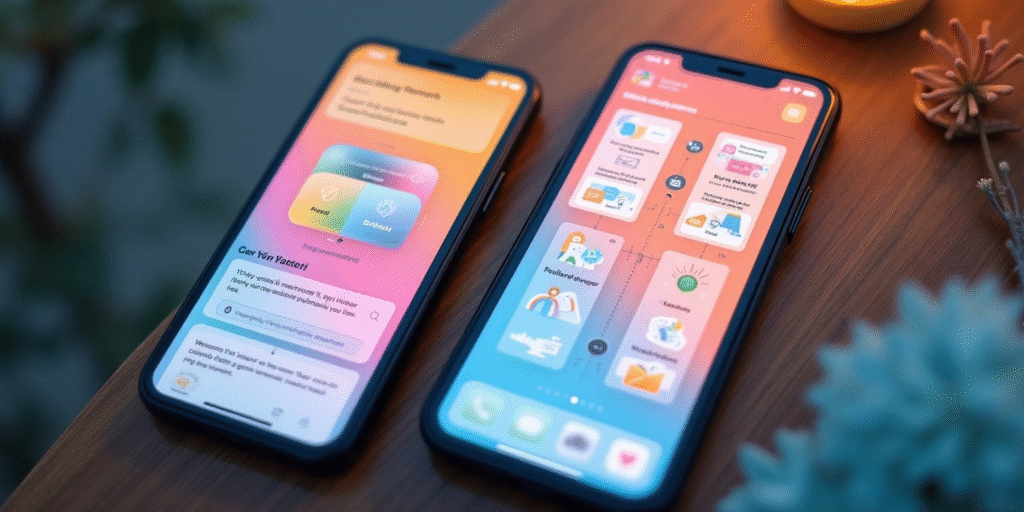
UI vs UX: A Quick Visual Breakdown
| Feature | UI (User Interface) | UX (User Experience) |
| Focus | Colors, typography, layout | Ease of use, flow, feedback |
| Involves | Visual design | Research, testing |
| Goal | Make it look great | Make it work great |
Core UI/UX Principles Every Beginner Should Know
- Clarity over complexity
- Consistency breeds confidence
- Accessibility is non-negotiable
- Design mobile-first, always
- Feedback = trust (think loading spinners, success messages, etc.)
Common Beginner Mistakes (and How to Dodge Them)
- Trying to make things too fancy, too fast
→ Start with clarity, then add flair - Skipping user testing
→ Even 5 users can give you golden insights - Ignoring mobile design
→ Most users live on their phones. Design accordingly.
Final Thoughts: You’re More Creative Than You Think
Here at Webchirpy Academy, we’ve seen countless students go from “I don’t have a design eye” to “I just landed a client!” It all starts with learning the right mindset, the right tools, and building real-world experience.
The future of design is not just about pixels—it’s about people.
Ready to take the next step?
🎨 Join our UI/UX Fundamentals Course — designed for beginners, packed with hands-on projects, and mentored by industry pros.
Enroll Now →
Or subscribe to our newsletter for weekly UI/UX tips, freebies, and design challenges